

Introduction to http://127.0.0.1:4444
Have you ever come across the address http://127.0.0.1:4444 and wondered what it’s all about? This seemingly cryptic URL holds a treasure trove of information for developers, tech enthusiasts, and anyone curious about local servers. It serves as a gateway to your own machine, offering unique insights into networking and application testing. In this guide, we’ll unravel seven essential facts that will clear up any confusion surrounding 127.0.0.1:4444, helping you understand its significance in the digital world.
Whether you’re setting up your development environment or troubleshooting applications, knowing how to navigate this localhost address is key! Let’s dive deep into what makes http://127.0.0.1:4444 so important in today’s tech landscape!
1. What Is 127.0.0.1 (Localhost)?
The IP address 127.0.0.1 refers to your computer’s localhost, a unique identifier for the device you are using. Think of it as a virtual loopback interface that allows your system to communicate with itself.
When you enter this address into a web browser, you’re essentially telling it to connect back to your own machine instead of reaching out across the internet. This is particularly useful for developers testing websites or applications before they go live.
Localhost acts like a safe sandbox environment where changes can be made without affecting external systems. It helps in troubleshooting issues and ensures that everything functions correctly in isolation.
As an essential part of networking, understanding localhost can simplify many tasks, from coding to server management, making it invaluable for tech enthusiasts and professionals alike.
2. Why “:4444”? The Meaning of the Port
When you see :4444 in the URL, that number represents a port — a specific channel or doorway inside the computer that a program listens on. Standard web traffic usually uses ports 80 for HTTP and 443 for HTTPS. But port 4444 doesn’t have a predefined public service, which makes it easy for developers to use it for their own internal tools.
3. Common Uses of http://127.0.0.1:4444
Local Web Development
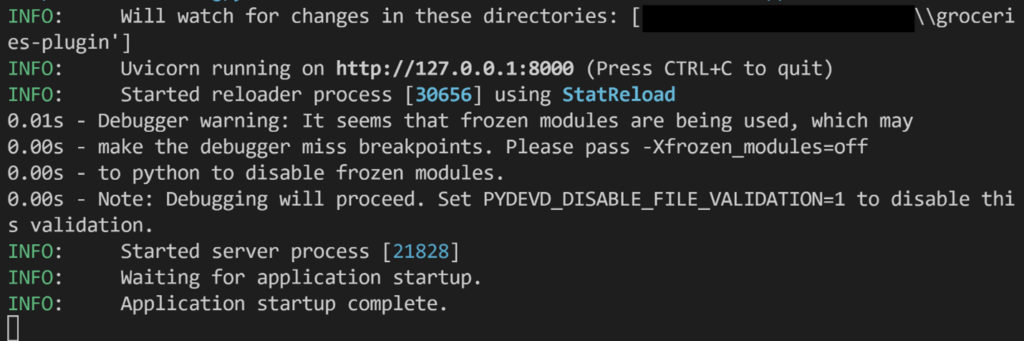
Web developers often use port 4444 for testing websites and apps on their own devices. Instead of uploading unfinished code to a live server, developers can view and interact with it right in the browser using this local address.
Test Automation (Selenium Hub)
A famous example is Selenium Grid, a tool used to run automated browser tests. The main Selenium hub often listens on port 4444, letting test scripts connect and control different browsers from one central spot.
Backend and Utilities
Other local tools like API servers, database admin dashboards, or command-line testing tools may also run on this port while developers build and refine backend systems.
Hellooworl: 5 Powerful Ways This Positive Idea Sparks a Fresh Digital Beginning
4. Localhost Is Secure When Used Properly
Because 127.0.0.1 only communicates within your machine, a service listening at that address is not directly reachable from the internet. That’s a big security advantage during development even if there’s a bug, external attackers can’t access it unless another vulnerability exists.
However, if a developer accidentally binds a service to all IP addresses (0.0.0.0) instead of just the loopback address, it can suddenly become visible to others on the network, posing a security risk.
5. It’s Not Just for Browsers
The http://127.0.0.1:4444 address isn’t only for web browsers. Developers use it with command-line tools like curl, API clients like Postman, or scripts for monitoring and health checks. It’s a key part of testing and scripting workflows because it allows software to send requests to services running on the same machine.
Conclusion
At first glance, http://127.0.0.1:4444 may look like just a string of numbers and characters — but it’s actually a gateway into local development and testing. It’s where developers build, test, and debug software before ever exposing it to the wider world.
Understanding this address isn’t just technical trivia it’s a step toward mastering how web services work, how applications are built, and how to keep development environments secure and reliable.