Introduction to Productivity Tools
In today’s fast-paced world, staying productive can sometimes feel like an uphill battle. With countless distractions and endless to-do lists, finding the right tools to enhance your efficiency is essential. Productivity tools are designed to help you streamline tasks, stay organized, and manage your time effectively. Whether you’re a freelancer juggling multiple clients or part of a large team working on collaborative projects, there’s something out there for everyone.
Imagine being able to track how much time you spend on each task or having all your notes neatly organized in one place. Picture smooth communication with colleagues that keeps everyone on the same page while automating mundane processes frees up precious hours in your day. The right productivity tools not only make work easier; they can also elevate the quality of your output.
So if you’re ready to take control of your workflow and maximize every minute at work (or play), let’s dive into some powerful productivity tools that promise to skyrocket your efficiency!
Time-Tracking Apps
Time-tracking apps are essential for anyone looking to maximize their productivity. These tools help you monitor how much time you spend on tasks throughout your day.
With features like timers and detailed reports, they provide insights into your work habits. This data can reveal patterns that may be slowing you down or distracting you from completing important projects.
Many of these apps integrate seamlessly with other software, allowing for a smooth workflow. Whether you’re working solo or as part of a team, these applications can cater to your specific needs.
Popular options include Toggl, RescueTime, and Clockify—each offering unique functionalities that suit different users. By understanding where your time goes, you’ll find it easier to make adjustments that enhance efficiency.
Note-taking and Organization Tools
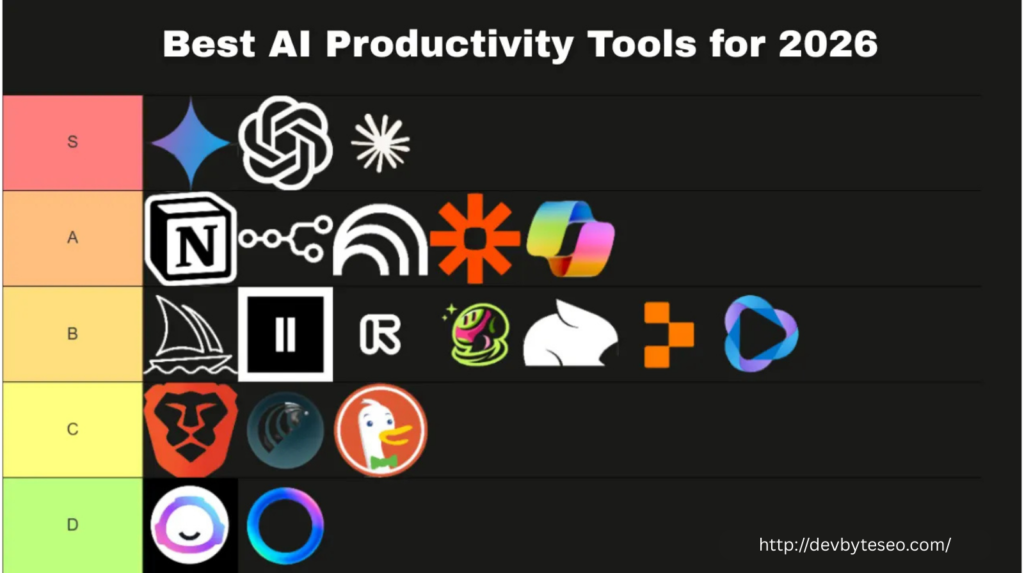
Note-taking and organization tools are essential for anyone looking to enhance their productivity. They allow you to capture ideas, thoughts, and important information swiftly.
Apps like Notion or Evernote provide flexible platforms for storing notes in various formats. You can organize your materials with tags, folders, or even custom templates that suit your style.
Digital notebooks enable easy searching and retrieval of information. This makes finding details a breeze when you need them most. With cloud syncing features, your notes are accessible from anywhere—be it on a laptop or smartphone.
Additionally, many note-taking tools offer collaboration options. This feature allows teams to share insights effortlessly while keeping everyone on the same page.
With such powerful solutions at your fingertips, staying organized becomes less of a chore and more of an empowering experience.
Project Management Software
Project management software is designed to streamline workflows and enhance team collaboration. It acts as a centralized hub for tracking tasks, deadlines, and resources. This clarity allows teams to stay aligned on goals.
Many of these tools offer customizable features suited for different project types. Users can easily assign roles, set priorities, and monitor progress in real-time. This visibility helps prevent bottlenecks and ensures everyone knows their responsibilities.
Integrations with other applications are another significant advantage. Whether it’s connecting with communication platforms or file storage services, seamless integration boosts productivity further.
Additionally, reporting capabilities provide valuable insights into performance metrics. Teams can analyze data trends over time to improve future strategies effectively.
Choosing the right project management software can significantly impact your team’s efficiency and success rates in delivering projects on time.
Communication and Collaboration Apps
Effective communication is crucial in any team setting. Communication and collaboration apps have revolutionized how we connect with colleagues, regardless of location.
Platforms like Slack and Microsoft Teams allow instant messaging, video calls, and file sharing all in one place. This seamless integration fosters real-time discussions that can keep projects moving forward.
These tools also enhance teamwork through channels or groups dedicated to specific topics or tasks. Team members can share updates quickly without the clutter of lengthy email threads.
Simultaneously, collaborative features let users work on documents together in real time. Google Workspace exemplifies this by providing shared access to files where everyone can contribute simultaneously.
With so many options available, finding a tool that suits your team’s needs is easy. Prioritize user-friendly interfaces to ensure everyone feels comfortable engaging effectively.
Automation Tools
Automation tools streamline repetitive tasks, allowing you to focus on what truly matters. They can handle everything from email marketing to social media posting.
Consider tools like Zapier or IFTTT. These platforms connect various apps and services, automating workflows without any coding knowledge required. Need to save email attachments directly to your cloud storage? Done!
Another option is workflow automation software such as Integromat or Microsoft Power Automate. These tools help visualize processes and automate complex sequences with ease.
By reducing manual effort, automation tools minimize human error too. This ensures consistency in your work and lets you achieve more in less time.
Integrating these resources into your daily routine not only boosts efficiency but also enhances creativity by freeing up mental space for innovative ideas.
Virtual Assistants
Virtual assistants are game-changers in the world of productivity tools. They handle a variety of tasks, from scheduling appointments to managing emails and even conducting research. This allows you to focus on more critical aspects of your work.
With options like Siri, Google Assistant, and Alexa, these AI-driven helpers can streamline daily routines. You can set reminders or control smart home devices with just your voice.
Additionally, specialized virtual assistant services connect you with real people who can take care of administrative tasks. This is especially beneficial for entrepreneurs and small business owners looking to save time.
The beauty lies in their adaptability; they learn your preferences over time. Whether you’re juggling personal errands or professional commitments, having a virtual assistant can significantly enhance efficiency and organization in your life.
Mind Mapping and Brainstorming Software
Mind mapping and brainstorming software can transform the way you generate ideas. These tools allow for visual organization of thoughts, making complex concepts easier to grasp.
With an intuitive interface, users can create diagrams that connect various points. You can start with a central idea and branch out into subtopics effortlessly.
This approach encourages creative thinking while providing clarity. It’s beneficial for students, professionals, or anyone looking to enhance their brainstorming sessions.
Many of these applications offer collaborative features as well. Teams can share mind maps in real-time, enabling collective input and fostering innovation.
Additionally, integrating these tools with other productivity apps streamlines your workflow. You not only capture ideas but also link them directly to tasks or projects for seamless execution.
Distraction Blockers and Focus Apps
Distraction blockers and focus apps are essential for maintaining your concentration in a world full of interruptions. They help create a conducive environment for productivity.
These tools can limit access to distracting websites or apps during work hours. By setting boundaries, you train your mind to stay focused on tasks at hand.
Many popular options also incorporate techniques like the Pomodoro Technique. This method breaks work into intervals, enhancing both focus and efficiency with short breaks in between.
Some advanced features even analyze your habits, providing insights on peak productivity times. This data allows you to optimize your schedule effectively.
Additionally, many focus apps offer soothing background sounds or white noise, helping drown out distractions from your surroundings. The right combination of features can make all the difference in staying engaged with your work.
Calendar and Task Management Programs
Calendar and task management programs are essential for staying organized in our fast-paced lives. They help users prioritize tasks, set deadlines, and keep track of appointments all in one place.
With intuitive interfaces, these tools allow you to view your day, week, or month at a glance. You can easily drag and drop tasks to reschedule them as needed. This flexibility is critical when unexpected events arise.
Many of these programs sync across devices, ensuring you have access anytime and anywhere. Whether you’re on your laptop during work hours or checking your phone on the go, staying updated is seamless.
Additionally, some offer integrations with other productivity tools. This means that once you’ve planned your agenda, it can automatically connect with project management apps or communication platforms.
By utilizing calendar and task management software effectively, you can transform chaos into order effortlessly.
How to Choose the Right Productivity Tools for You
Choosing the right productivity tools starts with identifying your specific needs. Take a moment to reflect on what tasks consume most of your time. Are you looking to streamline communication, organize files, or track progress?
Next, consider your working style. Do you thrive in collaboration or prefer solo efforts? Some tools cater more towards team environments while others are designed for individual use.
Don’t forget about integration capabilities. Selecting tools that easily sync with the apps you already use can save valuable time and reduce frustration.
Trial periods can be invaluable. Many productivity tools offer free versions or trials. Experimenting will allow you to assess which ones fit seamlessly into your routine before committing financially.
Keep an open mind as new options frequently emerge in this ever-evolving digital landscape. The right tool is one that enhances your workflow rather than complicates it.
FAQs
What are productivity tools?
Productivity tools are software or applications designed to help individuals and teams manage tasks, time, and projects more efficiently. They streamline workflows, improve organization, and enhance overall efficiency.
Why are productivity tools important?
Productivity tools help save time, reduce distractions, improve collaboration, and provide insights into work habits. Using the right tools allows you to work smarter, not harder.
What are some popular time-tracking apps?
Popular time-tracking apps include Toggl, RescueTime, and Clockify. These apps help monitor how much time you spend on tasks and identify areas for improvement.
How do note-taking tools improve productivity?
Tools like Notion and Evernote help organize notes, ideas, and documents in one place. They make information retrieval easy and support collaboration across teams.
Which project management software is recommended?
Software such as Trello, Asana, and Monday.com help track tasks, deadlines, and team progress, ensuring projects are delivered efficiently.
How can communication apps boost team efficiency?
Apps like Slack and Microsoft Teams centralize messaging, video calls, and file sharing, reducing confusion from emails and keeping team collaboration seamless.
Conclusion
Choosing the right productivity tools can make a significant difference in how you manage your time and tasks. Every individual has unique needs, so it’s essential to evaluate what aspects of your workflow require improvement.
Consider how much collaboration is needed in your work or whether project management software would streamline your projects. If you often find yourself distracted, look into focus apps that can help maintain concentration.
Experiment with different types of tools to see which ones resonate with you. Many offer free trials or basic versions, allowing you to test their effectiveness without a financial commitment. Remember that productivity isn’t just about working harder; it’s about working smarter.
Investing time in finding the right set of tools will pay off by enhancing your efficiency and giving you more control over your day-to-day activities. The journey toward increased productivity starts with small changes and adjustments tailored to suit your style and preferences. Embrace these technologies as partners in achieving better outcomes, both personally and professionally.